
Screenshots
App details
- Updated
- Apr 26, 2007
- Language
- English
- Developer
- New Digital Soft
- Category
- Mobile
SoftPas in:
This product is also available in the following languages:
About Live TV Player
Download Live TV Player – live tv, streaming, channels, radio, global, free, entertainment, PC, windows, video, online, watch
Overview
Live TV Player is a versatile application designed to transform a standard PC into a comprehensive entertainment hub. With access to over 1000 TV channels and 100 radio stations from around the world, the app offers a broad spectrum of international content, catering to users seeking diverse programming across languages and regions. It serves as a convenient alternative for individuals who want to stream live television and radio without investing in specialized hardware or subscription services. The app is particularly useful for expatriates, language learners, and entertainment enthusiasts who value global access to real-time broadcasts.
Developed by Live TV Player, the application has been available since 2007, indicating a long-standing presence in the digital media landscape. Although the developer did not provide additional technical details or company background, the app’s continued availability suggests a stable and functional core. Live TV Player addresses the need for accessible, real-time media consumption by leveraging existing broadband connections and standard PC hardware. Its purpose is to simplify the process of watching live TV and listening to radio online, eliminating the complexity of third-party platforms or dedicated set-top boxes.
Real-world use cases include daily news consumption, cultural exploration through international broadcasts, and background radio listening during work or leisure. In the broader app ecosystem, Live TV Player occupies a niche as a lightweight, free utility that fills a gap in accessible live media streaming tools. Its minimal size and lack of cost make it an appealing choice for users prioritizing simplicity and affordability.
Key Features & Functionality
- Extensive Channel Offerings: Access to more than 1000 TV channels and 100 radio stations from global sources enables users to explore content across multiple languages, genres, and countries. This diversity supports both entertainment and educational purposes.
- No Hardware Required: The application operates entirely through software, requiring only a PC with a stable internet connection. This eliminates the need for additional devices, making it ideal for users with limited budgets or space.
- Regularly Updated Channel List: Users can refresh the channel list with a single action, ensuring access to active streams and minimizing disruptions from dead links or outdated content.
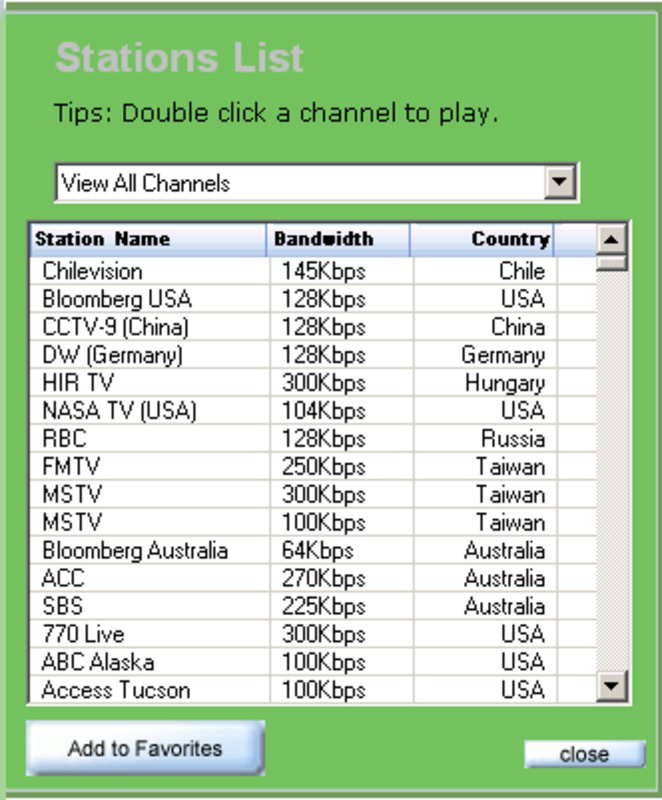
- User-Friendly Interface: The app features a clean, intuitive layout that organizes channels by country and language, enabling quick navigation and personalized viewing experiences.
- High-Quality Video Playback: By leveraging Windows Media Player and Real Player codecs, Live TV Player delivers smooth video streaming with minimal buffering, enhancing the overall viewing experience.
For example, a user in North America can easily tune into a news channel from Europe or listen to a Spanish-language radio station from South America. The ability to update the channel list ensures that content remains current, which is essential for time-sensitive broadcasts such as live sports or breaking news. The interface’s organization by region and language allows users to create customized viewing profiles, improving usability over time.
Interface, UX & Performance
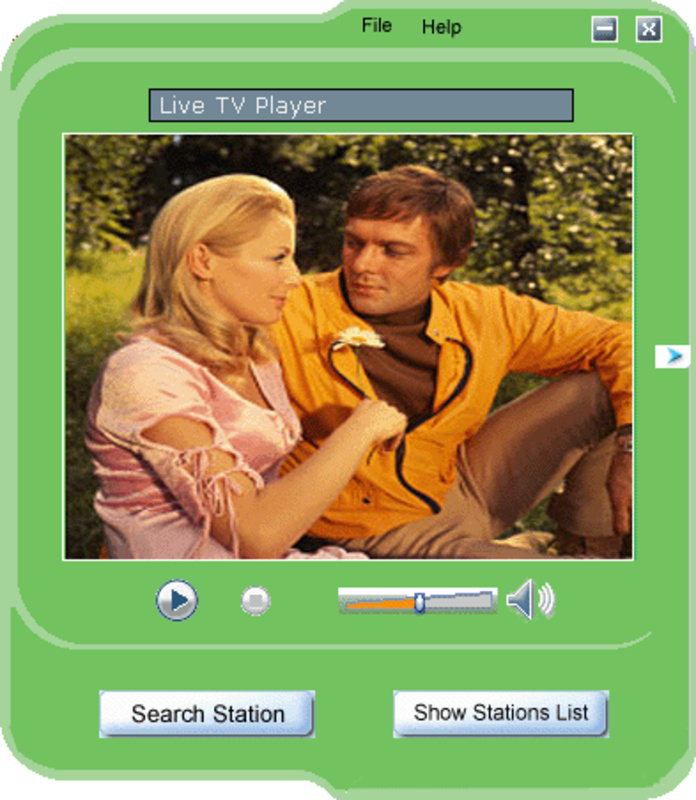
Live TV Player features a straightforward and visually accessible interface, designed with simplicity in mind. The layout presents channels in a categorized grid, with clear labels for country and language, allowing users to browse efficiently. Navigation is linear and predictable, relying on basic menu structures and button-based actions, which reduces the learning curve for new users.
Although the developer did not list formal performance metrics, the app’s lightweight size of 2.5 MB suggests it is optimized for minimal system resource usage. It is expected to function smoothly on older or low-spec Windows machines, though specific compatibility details were not disclosed. Responsiveness appears to be adequate for standard streaming tasks, with minimal lag during channel switching and playback initiation.
Stability is likely maintained through consistent updates to the channel list, which helps prevent crashes caused by broken streams. However, actual user feedback on long-term reliability or memory usage was not provided. Overall, the user experience prioritizes functionality over visual polish, making it suitable for users who value utility over aesthetics.
Platform Compatibility & Technical Requirements
Live TV Player is designed exclusively for the Windows platform, with no information available on other operating systems. The app requires a Windows-based system, though specific OS versions or minimum hardware specifications were not listed by the developer. Given its file size of 2.5 MB, the application is lightweight and likely compatible with a wide range of Windows devices, including older models.
Compatibility information was not fully disclosed, so users should ensure their system supports the required codecs (Windows Media Player and Real Player) for optimal video playback. The app does not appear to require administrative privileges for installation or operation, as it is distributed as a free utility. No additional software dependencies were mentioned, but users may need to install or update media players separately if not already present.
Pros and Cons
- Free to download and use with no hidden costs
- Extensive library of global TV and radio channels
- Minimal system requirements due to small file size
- Simple interface with intuitive navigation
- Regular updates to maintain active channel access
- Only available for Windows, limiting cross-platform use
- No official support for mobile devices or macOS
- Performance may vary based on internet speed and codec availability
- Developer did not provide detailed technical specifications
- Interface design is basic and lacks modern visual enhancements
FAQ
Is Live TV Player safe to download and install?
Yes, the app is distributed as a free utility with no known malware. However, users should always download from trusted sources to ensure authenticity.
Can I use Live TV Player on my smartphone?
Currently, the app is only available for Windows PCs. There is no official version for Android or iOS devices.
Do I need a subscription to use Live TV Player?
No, the application is completely free to use with no subscription or payment required.
How often is the channel list updated?
The channel list can be updated manually with a single click. The developer does not specify automatic update frequency.
What internet speed is required for smooth playback?
While not specified, a stable broadband connection is recommended for high-quality streaming. Lower speeds may result in buffering or reduced video quality.
Final Thoughts
Live TV Player remains a practical and accessible tool for users seeking free, global live streaming on Windows. Its extensive library of TV and radio channels, combined with a lightweight design and no cost, makes it a compelling choice for casual viewers and international content enthusiasts. While the interface lacks modern polish and the app is limited to Windows, its core functionality is reliable and well-suited for basic streaming needs.
For those who value simplicity, affordability, and access to international media, Live TV Player delivers tangible value. It fills a niche in the digital entertainment space by offering a no-frills, efficient way to watch live broadcasts without hardware investment.
Download Live TV Player now
Guides & Tutorials
How to install Live TV Player
- Click the Download button above.
- Once redirected, accept the terms and click Install.
- Wait for the Live TV Player download to finish on your device.
How to use Live TV Player
This software is primarily used for its core features described above. Open the app after installation to explore its capabilities.
User Reviews
No reviews yet. Be the first to share your experience.
You may also like
more
Que no te pillen¡
About !Que no te pillen¡Reviewed by Jason A. BilbreyShow MoreShow Less

3D Combat Zone
About 3D Combat ZoneOriginally released in 1983, 3D Combat Zone immerses players...

666: El día del portal
About 666: El día del portalOn June 6, 2006, Agent P. Stone uncovers a sinister...

80 in 1 Best Flash games
About 80 in 1 Best Flash games 80 in 1 Best Flash games is a collection of 80 fl...

ABYSS SEEKERーーWhat Do You See Deep in The Abyss
About ABYSS SEEKERーーWhat Do You See Deep in The AbyssIn ABYSS SEEKER, players...

ACA NEOGEO THE KING OF FIGHTERS 2002 for Windows
About ACA NEOGEO THE KING OF FIGHTERS 2002 for WindowsTHE KING OF FIGHTERS 2002,...